

C-mountfor astrocams
This is a detailedexplanation from with images of a pseudo C-Mountmaking for use with Webcams. It has been realised morespecifically for the Quickcam VC. It could be adapted to suitother brands. The world wide use of C-mounts permits tu use theQuickcam easily with a 1"1/4 telescope adaptater (visit Irondack Video Astronomy) , a video camera lens (especiallynice with very wide field ones), a 16mm lens, photographical lenses (visit AVAastro), all kinds of microscopesand binocular lenses ...
Items needed :
- PVC threaded cap,Diam 63mm
- 20/27" copperblocking nut
- circuit board
- super glue
- plastic heat glue with heatgun
- black permanent and alsowater soluble marker with fine tip.
- small Allen wrenches (notmetric...easy for you !)
- An electric drill and apiece of flat PVC to make a cap.
- Un objectif C A standard Cvideo lens and/or a C-mount adapter of the diameter of youreyepieces.
And... a few hours ofmeticulous work !
First version (easier):
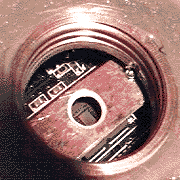
1) Make a 1/2" hole wellcentered in the 63mm PVC cap.
2) Make a small hole in therear cylinder and thread it at standard photo size.
3) Center & glue withsuper glue the flat copper nut.
4) Poor hard PVC glue aroundthe nut for solidity.
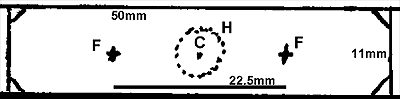
5) Cut circuit board supportas indicated in the figure. Also prepare 2 or 4 small squarepieces (1/4")
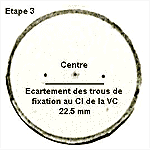
6) Drill the two holes (1.3to 1.4mm) separated by 22.5mm for the small screws of the camera and the central hole (6mm). Carefully thread the smallholes, forcing with the screws. Shape the two sides of the bighole with a 9mm drill on both sides.
7) Glue the small circuitboards pieces in order to have proper focus (test may benecessary as there are different classes of C objectiv)
8) put and center the support,copper side outwards, using an objectiv as a lens. Here youcan use the water soluble marker pen, putting a small black spot dead center on the rear lens. Glue now the supporting board withsuper glue.
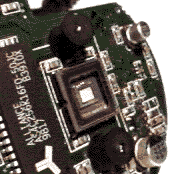
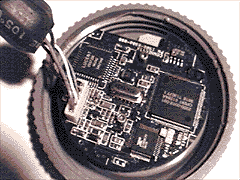
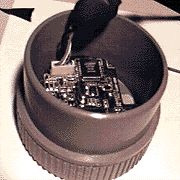
9) Scew the QCam circuitboard after removal of the black filter holder. Take care as thewires leading to the white connector are fragile. Make tests forproper focusing. In any case it will be rather easy to remove onelayer or add one more.
10) Make the rear cap with ahole on the side for main power line and fix it with screws orscotch tape.
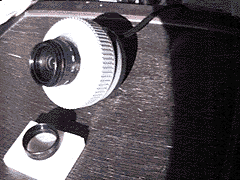
14) All done ! Here is anexample with a 4mm C lens. Field can be as high as 90°(very niceto catch meteors).
"Semi-pro"Version :
This semi-pro C-mount isintended for B&W and VC Quickcams (USB & //) :
Images are left with franchexplanation for space considerations. It takes more time tomake burt it is more precise. It permit 3D ajustment of the focalpoint at any moment with 3 easely set nuts. Test have beensuccessfull with 4mm & 16mm video lenses and Nikkon 50 mm lens perfect for eclipses.
Legends:
"Etape 1" Top ofcap.
find center by rotation. Draw1" circle. Drill a 13mm hole in the center. Poor super glueon circle. Put nut on glue. Place correctly before pressing hardfor 10 sec. Reinforce with PVC glue.
"Etape 2"Preparation of support.
Trace with the inside of thePVC cylinder a circle on a piece of circuit board. Cut with smallsaw widely around. Finish with strong cisors with toothes (right).Screw the 2 partsof the cap. Put circuit board support inside,uncoppered face toward hole. Draw a black point in the center.
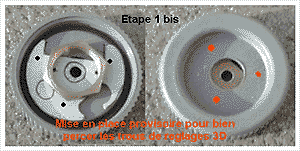
"Etape 1 bis" Placenot permanently to find the best place for 3d adjusting screws.
"Etape 3" small holes are to beseparated with precisely22.5 mm.
"Etape4" Ok
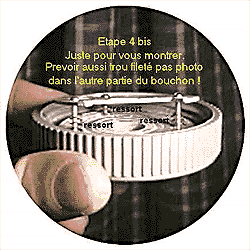
"Etape 4 bis" Just to show better the little springs.Don't forget the hole with Kodak thread on the other part.
"Etape 5" Remove all copper around holes to avoid anyelectrical contact with nuts.
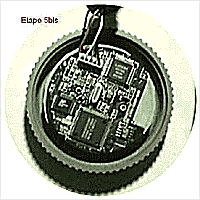
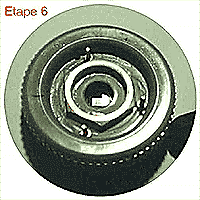
"Etape 5 bis & 6" No comments.
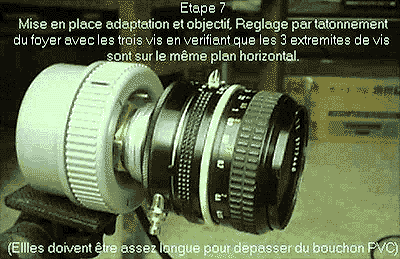
"Etape 7" Placing lenses. Adjust with camera connectedto computer and working. The 3 screw tips should be normally onthe same level plane. Also they should be long enough.
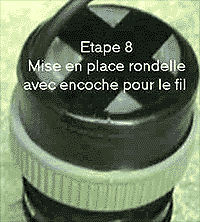
"Etape 8" intalling rear plug.
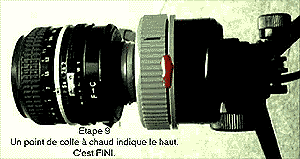
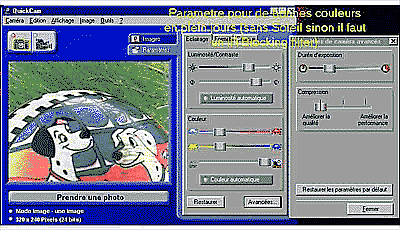
Example pictures with lens shown and also base for adjustingparameters.